
Content History Guide
Learn how to manage, edit, and publish your AI-generated content in Kensaku AI's content history dashboard.
Overview
The Content History page provides a unified view of all your AI-generated content, whether it's been published to WordPress or is still in draft form.
Content List
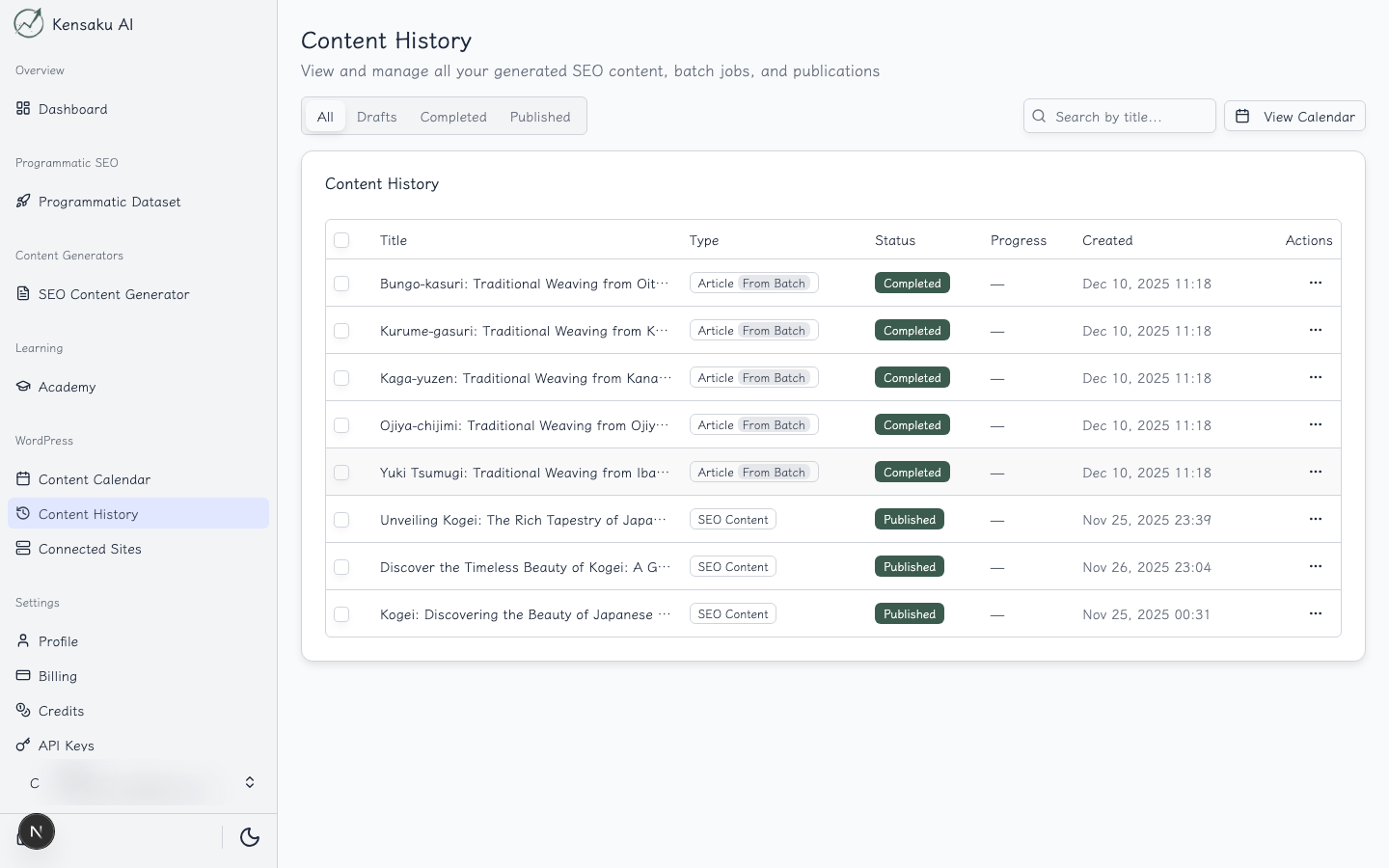
The history list shows:
- Title: Content title with preview link
- Status: Draft, Published, or Scheduled
- Project: Associated PSEO project (if applicable)
- Created Date: When the content was generated
- Actions: Edit, view, or manage options
Filtering Options
Filter your content by:
- Status: All, Published, Draft, Scheduled
- Project: Filter by PSEO project
- Date Range: View content from specific time periods
Content Editor
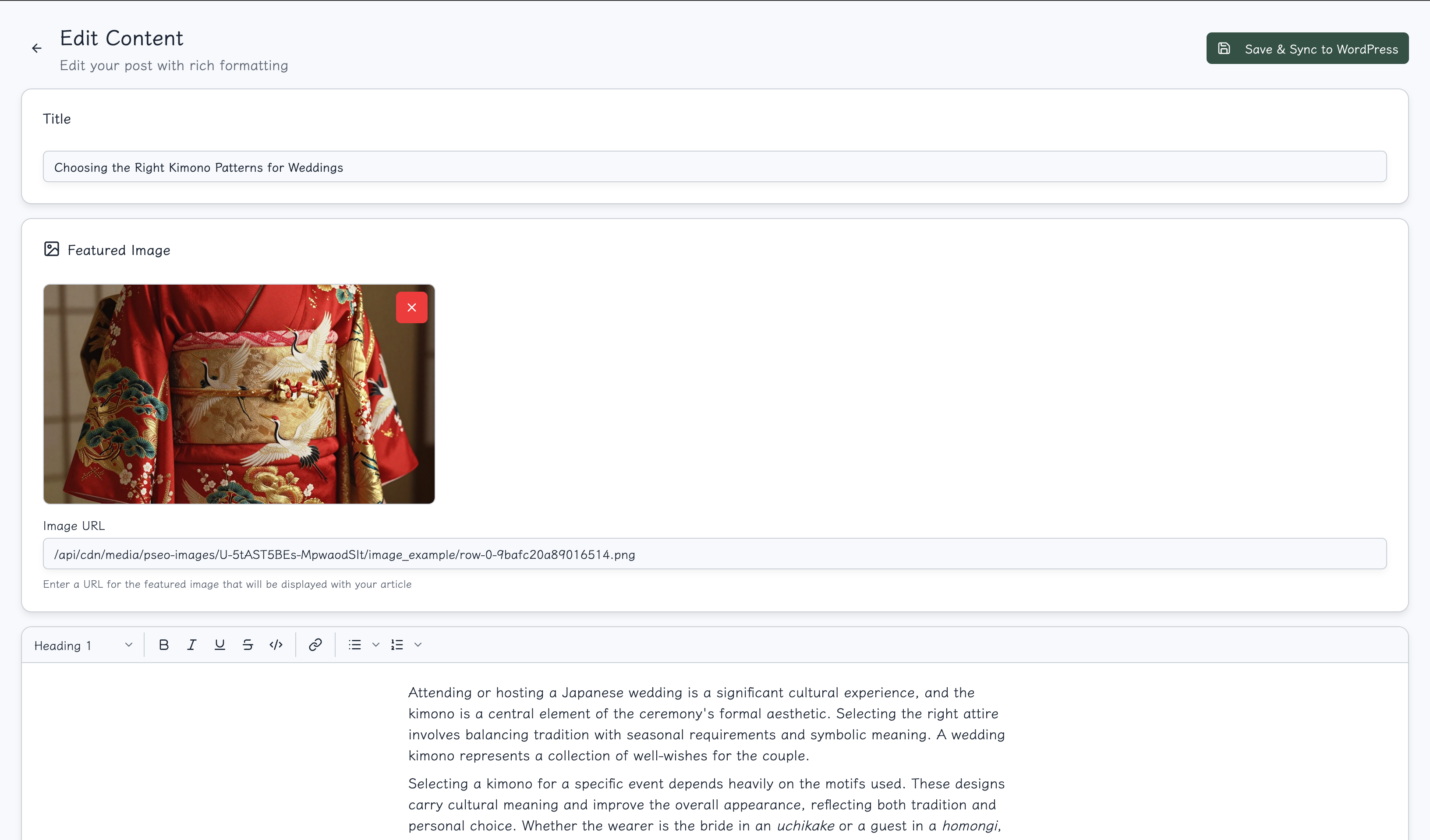
Click on any content item to open the rich editor. For detailed documentation on all editor features, see the Article Editor Guide.
Editor Features
The content editor provides:
- Rich Text Editing: Full formatting capabilities
- HTML Mode: Direct HTML editing for advanced users
- Internal Links: Automatic internal link resolution
- Featured Image: Manage the post's featured image
- SEO Fields: Edit title, meta description, and slug
Editing Workflow
- Review: Read through the AI-generated content
- Refine: Make edits to improve quality or add personal touches
- Optimize: Check internal links and SEO fields
- Save/Publish: Save as draft or publish directly
Internal Link Resolution
Kensaku AI automatically resolves internal links within your PSEO content:
- Links reference other content in your project
- URLs are generated based on your configured patterns
- Broken links are highlighted for review
Managing Content
Bulk Actions
From the history list, you can:
- Select multiple items for bulk operations
- Publish or unpublish multiple posts
- Delete draft content
WordPress Sync
For published content:
- Changes sync back to your WordPress site
- View the live post directly from the editor
- Track publication status and last sync time
Best Practices
- Review Before Publishing: Always review AI-generated content
- Check Links: Verify internal links are working correctly
- Optimize SEO: Customize titles and meta descriptions
- Maintain Consistency: Keep your brand voice consistent across all content
Ready to Scale Your Content?
100+ pages in 1 click with Kensaku AI. Start your programmatic SEO campaign today.