
PSEO Projects Guide
Learn how to create and manage programmatic SEO projects in Kensaku AI for scalable, data-driven content generation at scale.
Overview
PSEO (Programmatic SEO) Projects are the core feature of Kensaku AI. They allow you to create scalable content strategies using data-driven templates.
Projects List
The PSEO Projects page shows all your active projects with key information:
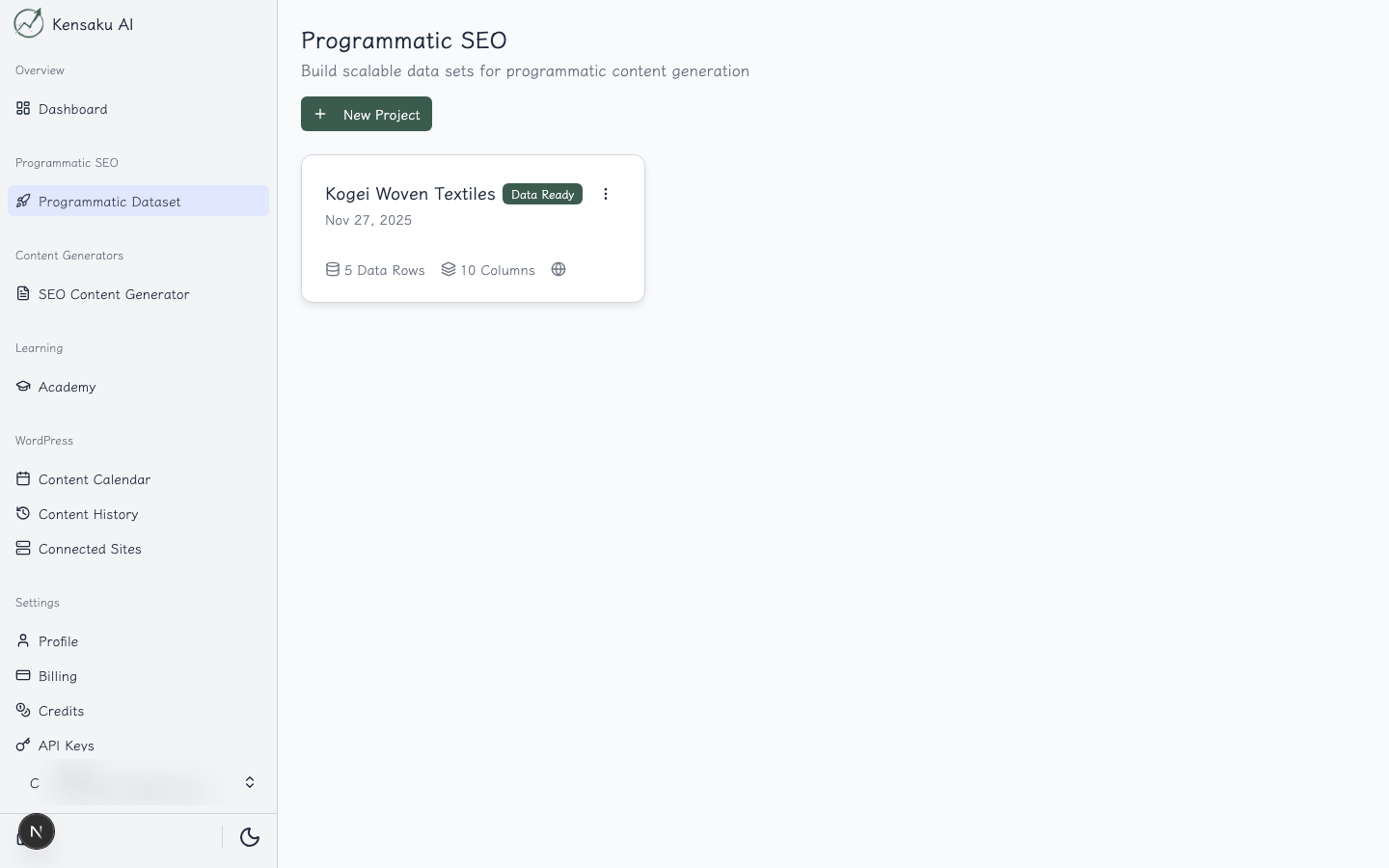
From this view you can:
- See all your projects at a glance
- View project status and data row counts
- Create new projects
- Access individual project workspaces
Project Workspace
Each PSEO project has a three-step workflow, accessible via tabs:
Step 1: Ideation
Define the foundation of your content strategy.
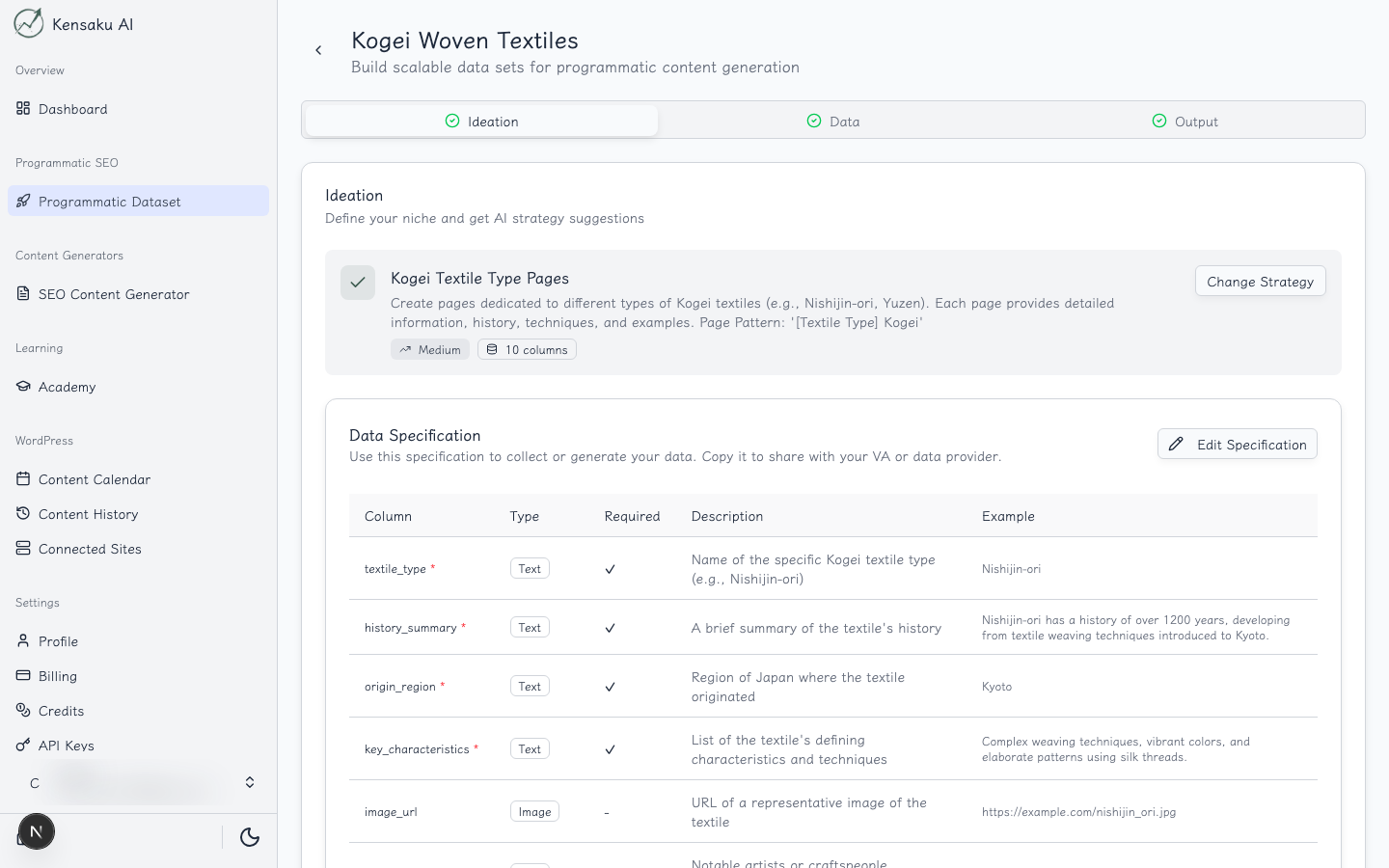
In the Ideation step, you configure:
- Niche: Your target market or industry
- Product/Service: What you're promoting
- Website: Your target website
- Target Audience: Who you're creating content for
- Content Goals: What you want to achieve
This information guides the AI in generating relevant, targeted content.
Step 2: Data
Build and manage your dataset for content generation.
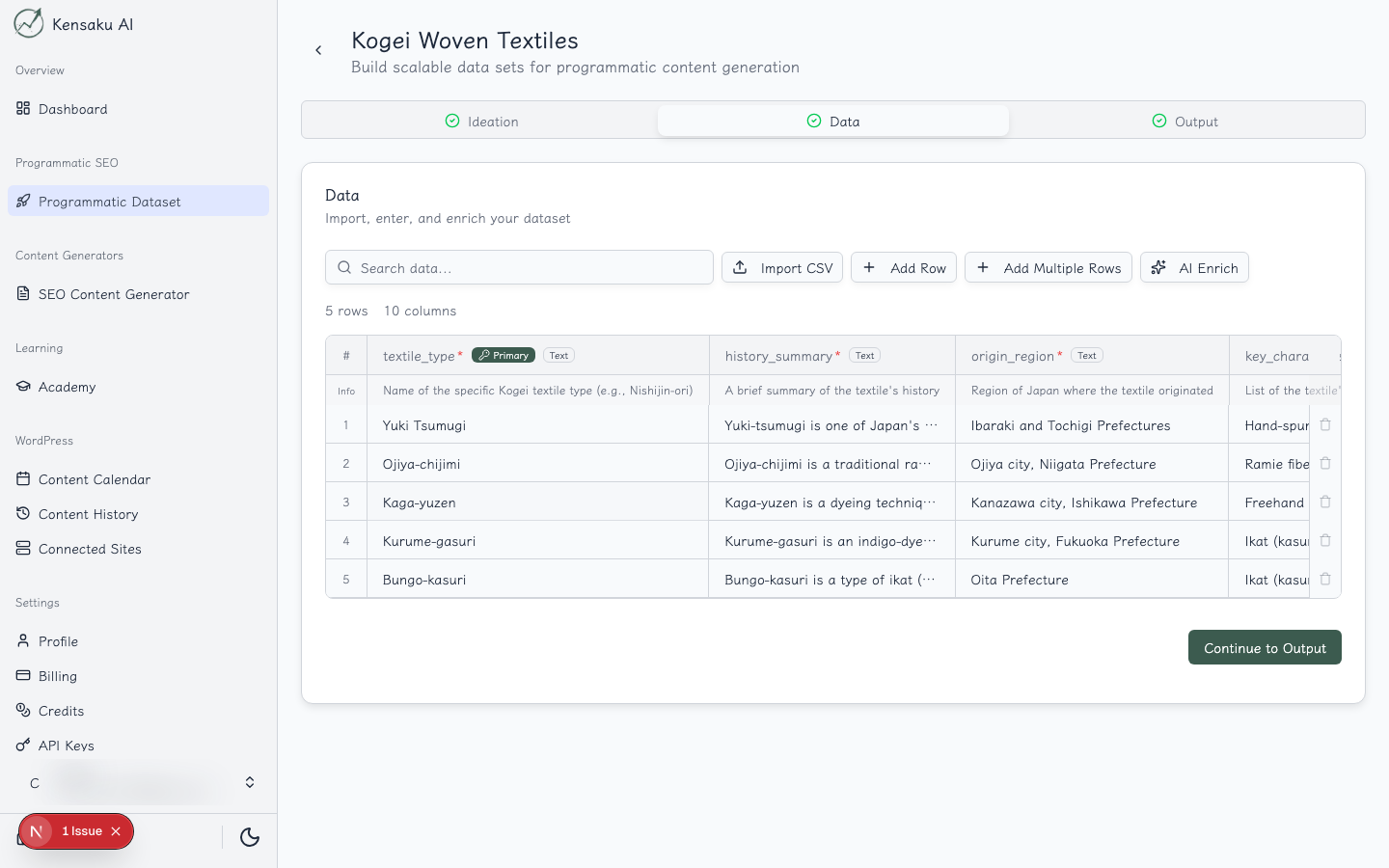
The Data step allows you to:
- Define Columns: Create data fields for your content template (e.g., city names, product features, comparison items)
- Add Rows: Populate your dataset with entries
- Enrich Data: Use AI to automatically fill in additional information
- Import/Export: Bulk import data from CSV or export your dataset
Data Structure Examples
| Pattern Type | Example Columns |
|---|---|
| Location-based | City, State, Population, Local Keywords |
| Comparison | Product A, Product B, Feature 1, Feature 2 |
| Industry-specific | Industry, Pain Points, Solutions, CTA |
Step 3: Output
Generate and manage your bulk content.
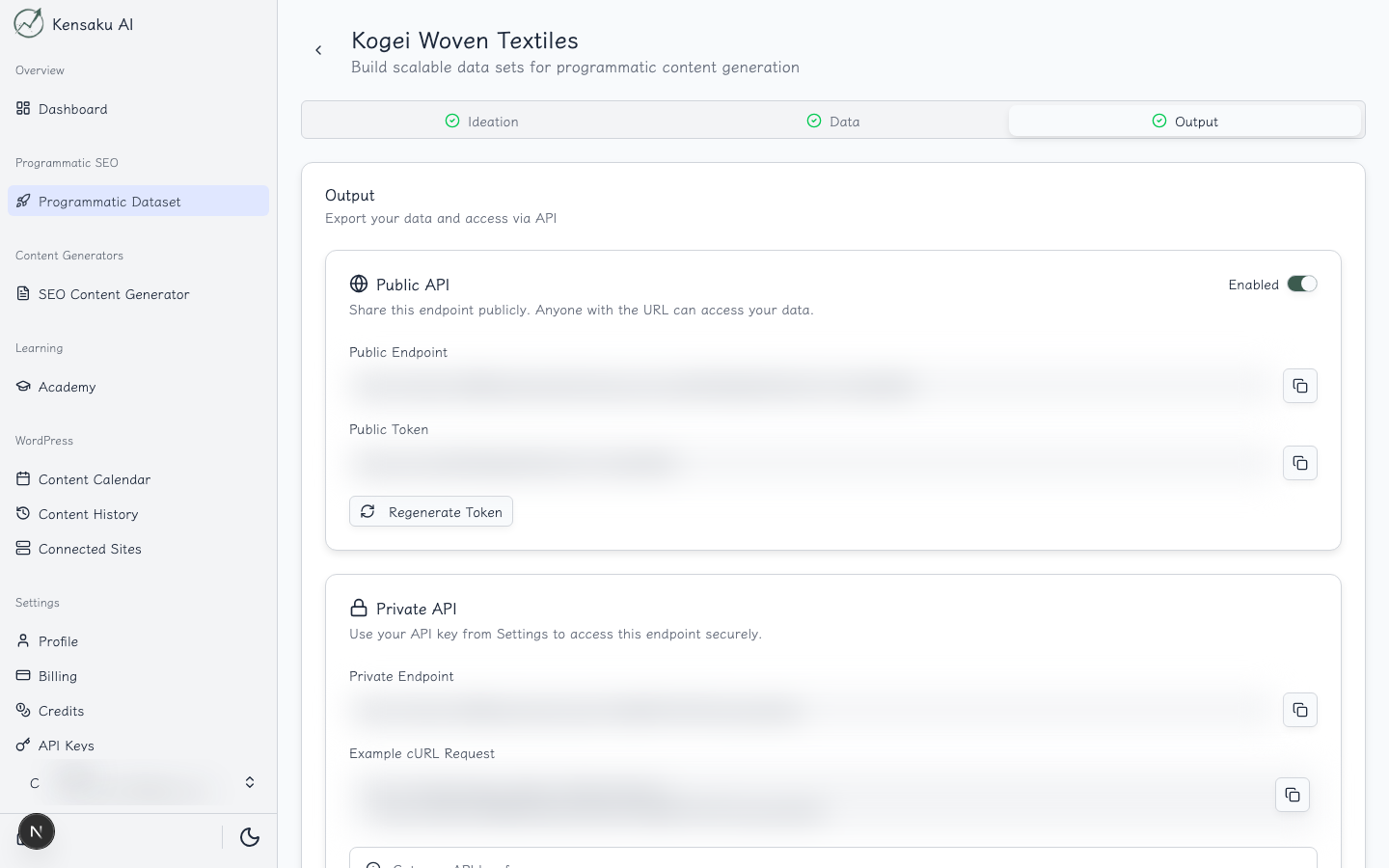
The Output step enables you to:
- Create Templates: Define content structure using your data columns
- Generate Content: Run AI generation across all your data rows
- Preview Results: Review generated content before publishing
- Manage Internal Links: Configure automatic internal linking
- Publish: Push content to connected WordPress sites
- Public API: Expose your data via a JSON API for external use
Public API Integration
The Output step also includes a powerful Public API feature that lets you expose your project data as a JSON endpoint. This enables:
- Headless CMS functionality
- Integration with static site generators (Next.js, Gatsby, etc.)
- Custom WordPress templates
- Mobile app content delivery
For detailed documentation on using the Public API, see the Public API Guide.
Best Practices
Planning Your PSEO Strategy
- Identify Patterns: Look at your existing rankings to find scalable patterns
- Research Keywords: Validate search volume for your template approach
- Start Small: Test with 10-20 data rows before scaling up
- Iterate: Refine your template based on initial results
Data Quality
- Ensure consistent data formatting across all rows
- Include unique, valuable information in each entry
- Use AI enrichment to fill gaps in your dataset
Content Quality
- Create detailed templates with specific instructions
- Include brand voice guidelines in your prompts
- Review a sample of generated content before bulk publishing
Ready to Scale Your Content?
100+ pages in 1 click with Kensaku AI. Start your programmatic SEO campaign today.